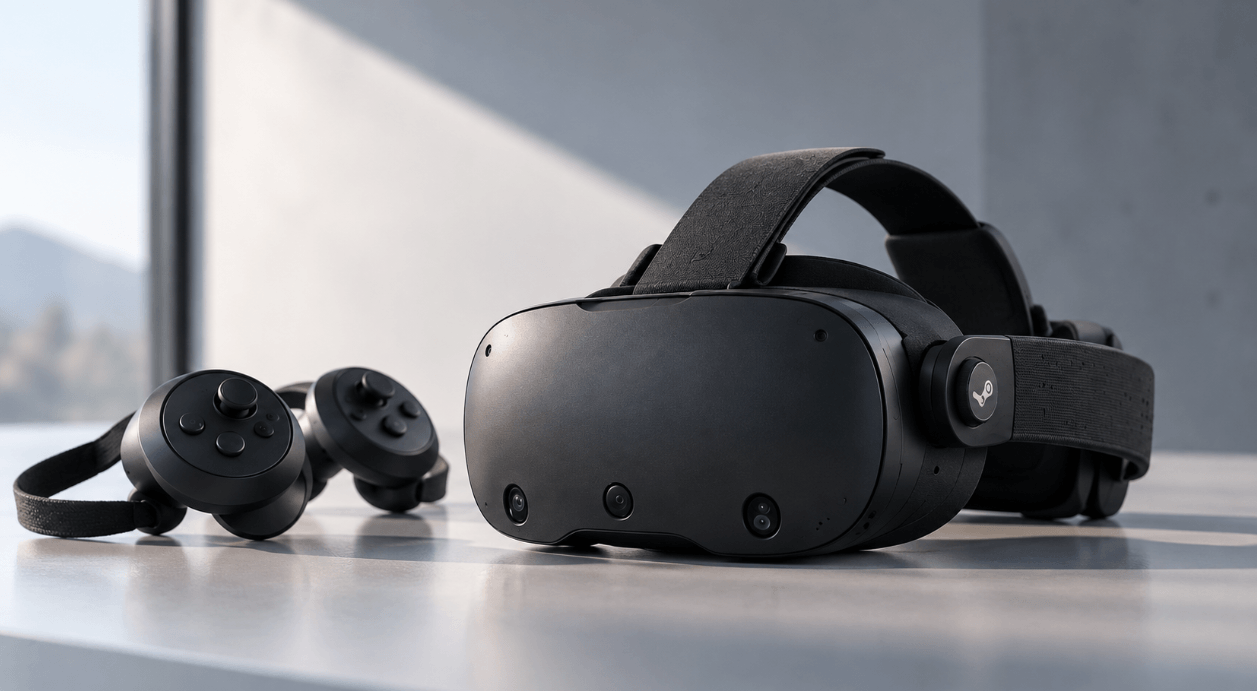
Valve has a strong track record in VR hardware. So it is no surprise that the newly released Steam Frame has received plenty of attention. Most coverage focuses on gaming. But could it also be relevant for engineers, architects, researchers and universities using VR for CAD, simulation, visualization, training or research?
The short answer: Yes, it is an interesting option. But there are some important limitations to consider.
What Does the Steam Frame Offer?
First, the key specifications:
- Processor: Qualcomm Snapdragon 8 Gen 3
- RAM: 16 GB LPDDR5X
- Storage: 256 GB or 1 TB, expandable via microSD
- Resolution: 2160 × 2160 per eye
- Refresh rate: 72–120 Hz, with experimental 144 Hz mode
- Optics: pancake lenses, enabling a compact optical design and a sharp view across a large part of the display while reducing weight
- Eye tracking: integrated
- Tracking: inside-out, using built-in cameras and sensors on the headset itself to track your position and movements in a room
- PC VR: wireless streaming
- Output: OpenXR and SteamVR support
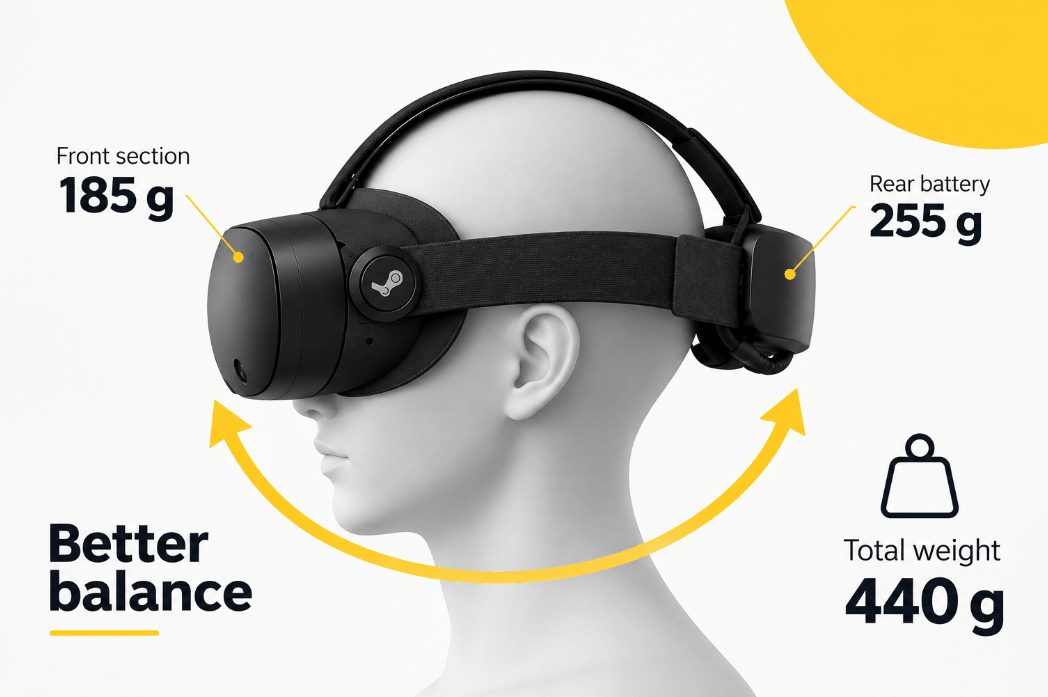
- Weight: around 440 g including strap and rear battery
As we will see, especially the eye tracking, low weight and wireless PC VR is particularly interesting.
Strong Processor and RAM
Steam Frame uses a Snapdragon 8 Gen 3 with 16 GB LPDDR5X RAM. That is significantly more memory than the Quest 3, which combines a Snapdragon XR2 Gen 2 with 8 GB RAM. The VIVE Focus Vision provides 12 GB RAM with a Snapdragon XR2 processor.
For professional PC VR, however, this comparison becomes less important. If a large CAD model or simulation is rendered on a workstation, the workstation’s CPU, GPU and RAM remain the main performance factors. The same is true of the either 256 GB or 1 TB internal storage. Though comparatively high, it is not very relevant for most professional use cases.
A Major Strength: Weight and Comfort
Headset weight is often underestimated in professional VR. Its effect on comfort and ergonomics is essential when it comes to daily work and user acceptance – the basis for a successful VR implementation.
This matters especially during longer sessions. A technically impressive headset is of little value if users want to remove it after a few minutes.
And this is an area where Steam Frame stands out:
- Steam Frame – 440 g
- Meta Quest 3 – 515 g
- VIVE Focus Vision – 785 g
- Varjo XR-4 – 1,021 g
Additionally, the battery is positioned at the rear, making the front weigh only 185g. This helps to distribute the weight around the head instead of concentrating it at the front. Steam Frame therefore has a clear ergonomic advantage!
Display Quality: Good, but Not Leading
Steam Frame provides 2160 × 2160 pixels per eye. Compared to other HMDs:
- Meta Quest 3 – 2064 × 2208
- VIVE Focus Vision – 2448 × 2448
- Varjo XR-4 – 3840 × 3744
Steam Frame therefore does not lead on visual fidelity. For most CAD models and simulations, however, its resolution should be definitely sufficient.
The refresh rate influences how smooth movement appears in VR. A stable high refresh rate can also improve comfort, particularly when users move their heads frequently.
Steam Frame supports rates from 72 Hz up to 120 Hz, with an additional 144 Hz experimental mode. For professional VR, the maximum number is less important than maintaining a stable frame rate. Running a demanding CAD model at a consistent 90 Hz is preferable to supporting 144 Hz on paper but failing to maintain it. Compared to other HMDs the Steam Frame shows a solid performance:
- Meta Quest 3 – 72 / 80 / 90 / 120 Hz
- VIVE Focus Vision – 90 Hz / 120 Hz DisplayPort beta
- Varjo XR-4 – 75 / 90 Hz
Eye Tracking Is a Real Advantage
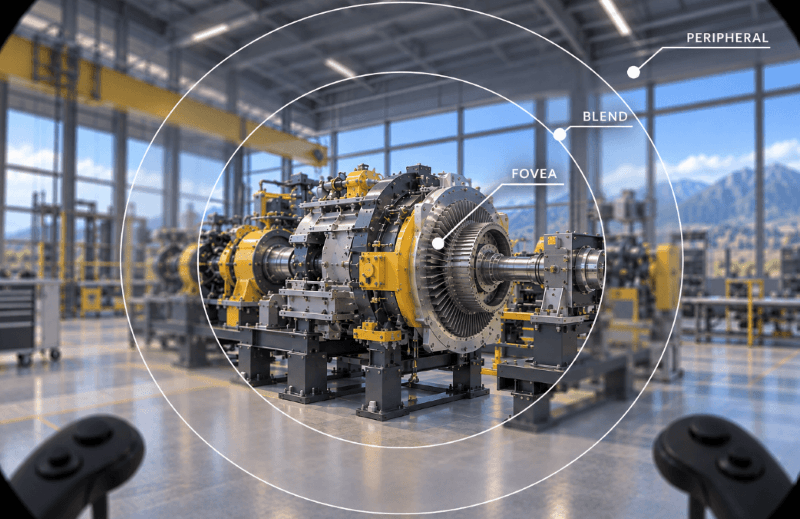
Unlike the Meta Quest 3, Steam Frame includes integrated eye tracking. Valve uses it for foveated streaming: image quality is concentrated around the point the user is looking at, the rest blurrs a bit. This is reducing the amount of data that needs to be transmitted.
This can make the VR experience smoother while reducing the required bandwidth and infrastructure.
Nice-to-have: Wireless PC VR
Steam Frame is built around wireless PC streaming and includes a dedicated 6 GHz wireless adapter. A large CAD model or simulation can remain on the workstation while the user moves freely through the virtual environment. Especially for room-scale VR, eliminating the cable is useful.
But professional environments can be demanding. Offices, laboratories and industrial sites may contain numerous wireless networks and devices. Connection stability, latency and compression should therefore be tested under the actual conditions in which the headset will operate.
OpenXR and SteamVR Support Add Flexibility
Steam Frame supports OpenXR and SteamVR/OpenVR. That matters for professional environments because established standards reduce dependence on a single proprietary application ecosystem.
Existing professional VR applications using these standards therefore have a better basis for supporting Steam Frame without extensive modification.
One of the Biggest Weaknesses: No Integrated Color Passthrough
Steam Frame does not offer integrated full-color passthrough comparable to Quest 3 or VIVE Focus Vision. Its four external cameras provide grayscale tracking and basic surroundings visibility. This can at least help users see furniture, obstacles or other people, improving safety.
For pure VR applications such as CAD reviews, this may not matter much. For applications where users need to interact with their real environment, it does. Color passthrough is useful when users need to collaborate with colleagues, see physical equipment, use keyboards and controls, or combine real objects with virtual content.
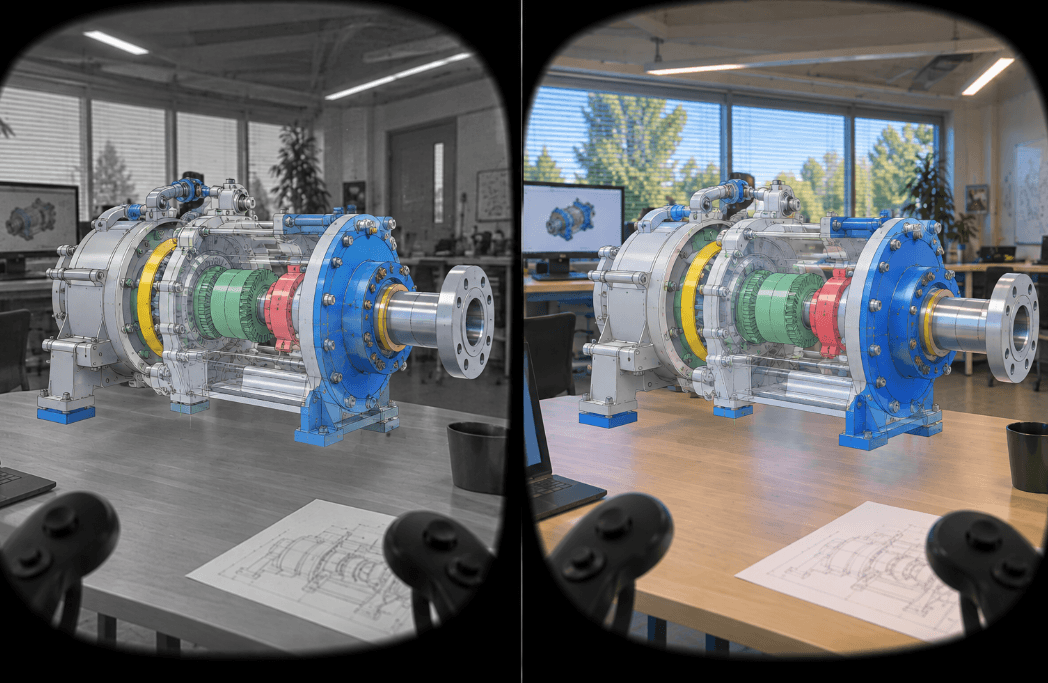
Quest 3 and VIVE F therefore have a clear practical advantage for training and mixed-reality applications. It is worth mentioning, however, that an upgrade for Steam Frame is possible. Full-color camera functionality can be added with the separate Arcturus Vision Camera, priced at $149.
Hand Tracking Is Also Limited
Steam Frame currently focuses on tracked controllers rather than native optical hand tracking. For CAD applications, this is not necessarily a problem. Controllers often provide precise input through physical buttons, triggers and joysticks.
For training, demonstrations and natural interaction, however, hand tracking can be useful. Quest 3 and VIVE Focus Vision currently offer more here.
Enterprise Deployment Remains a Question
Another issue has little to do with display specifications: How easy is it to manage many headsets?
Organizations deploying larger numbers of devices may require:
- centralized device management
- controlled software deployment
- kiosk modes
- security policies
- managed updates
- enterprise support
HTC and Varjo explicitly target professional and enterprise deployments. Valve’s strength currently lies more in its SteamVR, PC VR and developer ecosystem. For one or two engineering headsets, this may hardly matter. For 20 or 50 devices in a training center or university lab, it can become an important factor.
What Does Steam Frame Cost?
Steam Frame launched in Europe at:
- 256 GB: €1,049
- 1 TB: €1,279
For professional users relying mainly on workstation streaming, the 256 GB version will usually make more sense. CAD data and applications remain on the PC, so paying €230 more for additional headset storage brings little benefit.
But how does that compare with the other HMDs?
Approx. current price in Europe*
Meta Quest 3, 512 GB ~€620
VIVE Focus Vision ~€1,349
VIVE Focus Vision Business Edition ~€1,647
Varjo XR-4 ~€6,990
*Indicative prices as of September 2026. Prices may vary by country, seller, tax treatment and configuration.
Therefore the Steam Frame entry model costs considerably more than a Quest 3, but less than a VIVE Focus Vision or Varjo XR-4. It is not a low-cost option, but it remains considerably below high-end professional systems such as Varjo.
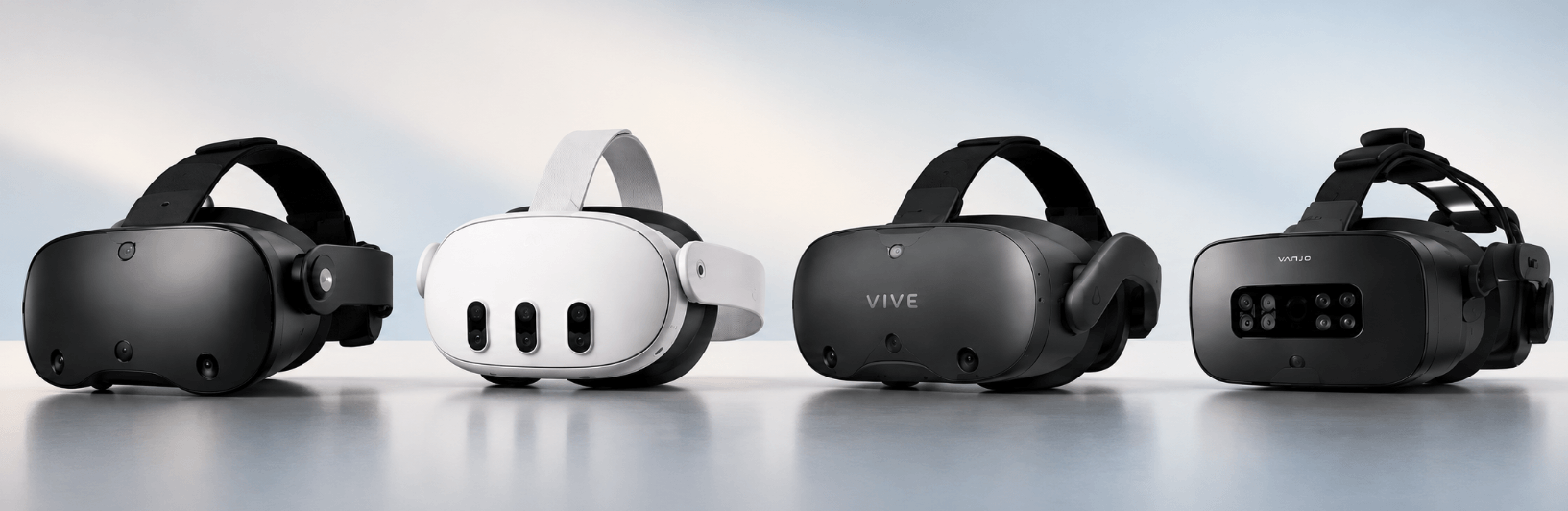
Steam Frame in Comparison with other VR HMDs
Conclusion: Where Does Steam Frame Fit?
Steam Frame is certainly more than just a gaming headset. For CAD, simulation, scientific visualization and other workstation-based VR applications, it offers an interesting combination of comfort, eye tracking, strong onboard hardware and wireless PC streaming.
Main advantages
- Only around 440 g and well balanced
- integrated eye tracking
- Good refresh rate, up to 120 Hz, plus experimental 144 Hz
- OpenXR and SteamVR support
- dedicated wireless PC streaming
Main disadvantages
- no integrated full-color passthrough
- limited native hand tracking
- considerably more expensive than Quest 3
Therefore, the Steam Frame is clearly not just for gamers. It is a strong option for professional VR as well, especially when low weight, eye tracking and wireless PC VR are important.
However, it is not automatically the best choice for every use case. For many professional applications, the Meta Quest 3 can already cover the requirements at a significantly lower price.
In the end, the right headset depends less on the brand and more on the workflow: What do you actually need the headset to do?
About the author more3D
more3D has been working with professional 3D visualization and virtual reality for more than 25 years. We develop moreViz, a VR bridge that brings existing CAD, simulation and other OpenGL-based applications into VR in real time. Together with experienced partners, we also support companies, universities and research institutions in planning and implementing professional VR systems – from HMD setups to Powerwalls and CAVEs.