Virtual Reality is no longer just an experimental technology for gaming or trade shows. In engineering, it is increasingly becoming a practical tool for improving design reviews, collaboration, communication, and spatial understanding.
For companies working with SOLIDWORKS, VR offers something traditional monitors simply cannot fully provide: The ability to experience a product at real scale before it is built.
That may sound straightforward, but the impact can be significant. Engineers can walk around machines virtually, inspect accessibility, evaluate ergonomics, understand complex assemblies more naturally, and communicate designs more clearly with customers and stakeholders.
Yet despite these advantages, many companies still struggle to integrate VR into their actual workflow. The reason is usually not the VR hardware itself. It is the complexity of the process behind it.
Traditional VR pipelines often require exporting CAD data, converting geometry, rebuilding scenes, optimizing files, and repeating the process after every design change. For engineering teams already working under tight deadlines, that quickly becomes difficult to maintain.
This is exactly where moreViz VR Bridge approaches the problem differently.
Instead of relying on complicated export-based workflows, moreViz connects professional 3D applications directly to immersive VR systems in real time. The result is a much more practical workflow for daily engineering use.
Why VR Matters for SolidWorks Workflows
Modern engineering projects are becoming increasingly complex.
Assemblies are larger. Product cycles are shorter. Teams are more distributed globally. At the same time, engineers still spend much of their time reviewing highly sophisticated 3D models through flat 2D screens.
Even with advanced CAD tools, certain challenges remain difficult to solve on a monitor alone:
understanding spatial relationships
evaluating accessibility
reviewing ergonomics
assessing scale realistically
communicating complex layouts to non-engineers
This becomes especially relevant in areas such as:
machine engineering
industrial manufacturing
factory planning
robotics
production systems
maintenance planning
customer presentations
VR changes the way these models are experienced. Instead of interpreting geometry abstractly, engineers can evaluate products naturally and spatially. In many cases, issues become obvious much earlier.
The Biggest Challenge of VR in SolidWorks
While the benefits of VR sound attractive, many engineering teams encounter the same problem during implementation:
The workflow becomes too complicated. A traditional VR pipeline often involves several additional steps:
Exporting CAD files
Converting geometry into another format
Optimizing models for rendering
Importing data into a VR platform
Rebuilding scenes and interactions
Repeating the process after design updates
This creates several practical issues. First, it consumes time. Engineering teams rarely have spare capacity for extensive VR preparation workflows.
Second, it creates disconnected datasets. Once CAD data is exported into separate environments, companies often end up managing multiple versions of the same project.
Third, VR becomes isolated from the normal engineering process. Many companies successfully demonstrate VR initially, but usage later decreases because the workflow feels disconnected from daily engineering activities.
And this is perhaps the most important point: If VR feels complicated, most engineers simply will not use it regularly.
How moreViz Simplifies VR in SolidWorks
moreViz was designed specifically to reduce these barriers.
Instead of creating a separate VR project pipeline, the software acts as a real-time bridge between professional OpenGL-based applications and VR systems.
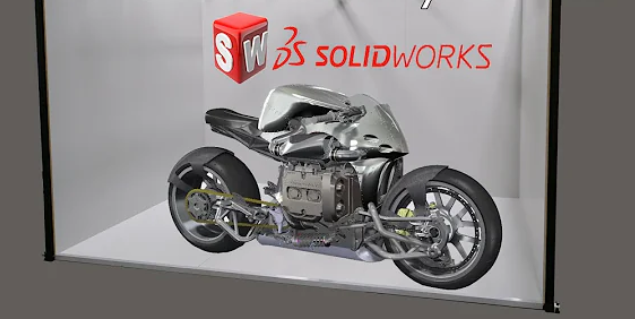
This allows SolidWorks scenes to be visualized directly in immersive environments without extensive export and conversion workflows.
The core idea is simple: Keep engineers inside their familiar workflow while making VR accessible with minimal additional effort. This approach has several practical advantages.
From SolidWorks to VR in Simple Steps
One reason many companies hesitate to adopt VR is the assumption that implementation is highly technical. In practice, the workflow can be surprisingly straightforward with moreViz.
Step 1 – Open the SolidWorks Project
The engineer works normally inside SolidWorks. Assemblies, layouts, and machine concepts remain within the existing CAD environment. No dedicated VR authoring workflow is required for many scenarios.
Step 2 – Open the moreViz client
moreViz connects the application directly to the VR system in real time. In less than a minute you can be in your VR environment:
This also makes it easier to review design changes quickly during ongoing development.
Step 3 – Enter the VR Environment
The model can then be experienced immersively using different visualization systems depending on the project requirements.
This flexibility is important because different engineering environments often require different hardware approaches.
VR Hardware Options for SolidWorks
One major advantage of moreViz is compatibility with various hardware and tracking systems.
This allows companies to select solutions based on actual workflow requirements instead of adapting workflows around one fixed ecosystem.
VR Headsets (HMDs)
Head-mounted displays are often the easiest entry point into immersive engineering.
They provide strong immersion while remaining comparatively affordable.
Typical use cases include:
design reviews
ergonomic evaluations
maintenance simulations
virtual prototyping
engineering visualization
Modern VR headsets offer excellent immersion and increasingly high image quality.
However, some users prefer alternative solutions for collaborative reviews or longer sessions.
VR CAVEs
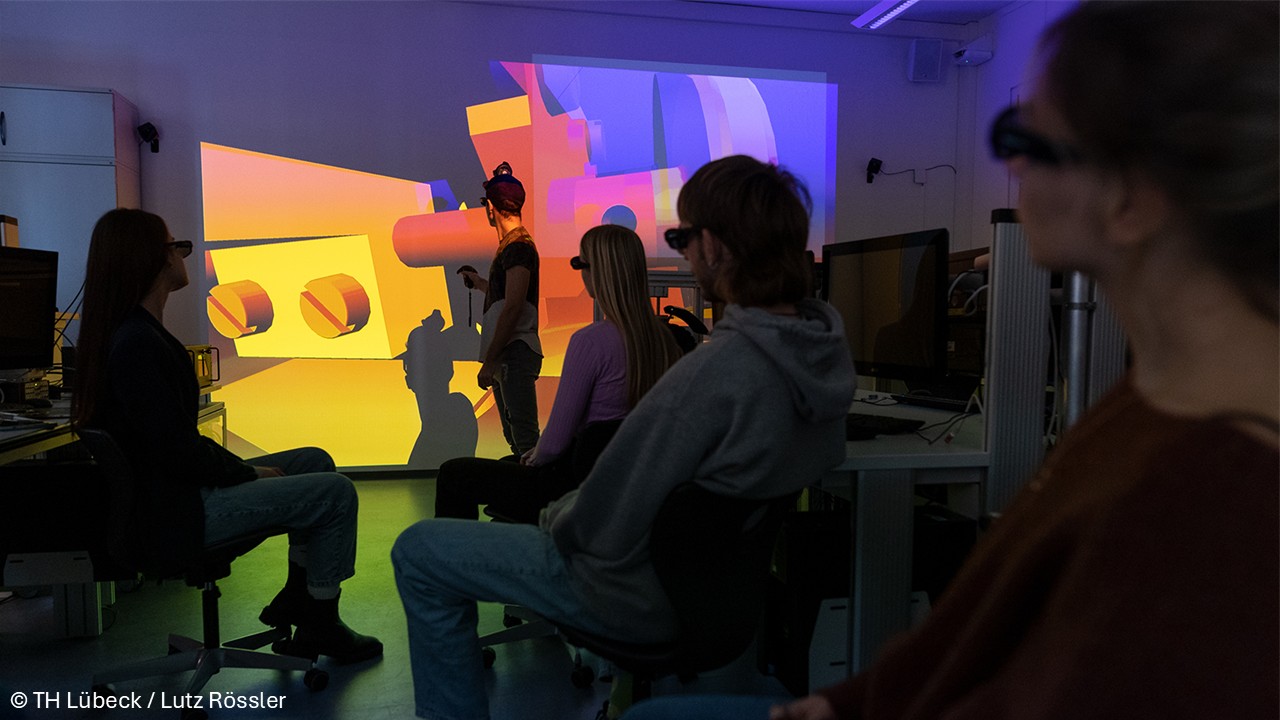
VR CAVEs are room-sized immersive environments using stereoscopic projection systems.
Instead of wearing full headsets, users wear lightweight stereo glasses while standing inside the projected environment.
This setup is especially useful for:
collaborative engineering reviews
educational institutions
customer demonstrations
multi-user discussions
CAVEs remain popular in industrial and research environments because they support natural communication between participants.
Powerwalls and Stereo Displays
Large stereoscopic Powerwalls provide another practical option.
They allow users to perceive depth while maintaining open communication during collaborative reviews.
For some engineering teams, this can feel more natural than fully immersive headsets.
Where VR Creates Real Value in SolidWorks
The most successful VR implementations are usually not about “innovation for the sake of innovation.” They solve concrete engineering problems.
Improved Spatial Understanding
Large assemblies can become difficult to evaluate accurately on flat screens.
Inside VR, engineers can immediately understand:
spacing
accessibility
operator reach
maintenance areas
visibility
assembly clearances
This becomes particularly valuable in machine engineering and production environments.
Faster Design Reviews
Traditional design reviews often involve long discussions around screenshots and viewpoints.
VR allows teams to stand inside the same virtual model and discuss issues directly within the environment itself.
This often improves communication and speeds up decision-making.
Earlier Detection of Problems
Late-stage engineering changes are expensive.
VR can help identify issues earlier by allowing teams to experience products more realistically before physical prototypes exist.
Typical examples include:
inaccessible maintenance zones
ergonomic problems
collision risks
limited visibility areas
difficult assembly access
Catching these issues earlier can reduce redesign effort later in the project.
Better Communication with Customers and Stakeholders
One of the most underestimated advantages of VR is communication.
Not everyone interprets CAD models easily.
Customers, managers, sales teams, or external stakeholders often struggle understanding complex engineering data on traditional screens.
VR makes designs easier to understand because people experience them naturally in real scale.
This can significantly improve discussions and reduce misunderstandings.
VR and AI in SolidWorks
Another important development is the growing role of AI-assisted workflows inside CAD environments.
SOLIDWORKS AI Design Features demonstrate how AI is increasingly being used to automate repetitive tasks, accelerate workflows, and support design decisions.
This creates an interesting combination. AI helps engineers generate and optimize designs faster. VR helps engineers understand those increasingly complex designs more intuitively.
As engineering projects become more data-rich and iterative, immersive visualization may become even more valuable for human collaboration and decision-making.
Remote Collaboration in VR
Engineering projects today are often highly distributed.
Teams, suppliers, customers, and production facilities may all operate from different locations.
moreViz includes collaboration functionality that allows users to connect and review the same VR scene remotely.
This can improve communication while reducing:
travel requirements
coordination delays
review cycles
misunderstandings between teams
For international engineering projects, this can become a significant operational advantage.
Final Thoughts
VR in SOLIDWORKS is gradually evolving from a niche visualization tool into a practical part of modern engineering workflows.
At the same time, AI-driven CAD systems are increasing the speed and complexity of product development.
Together, these trends are changing how engineering teams interact with digital models.
The challenge is no longer simply creating 3D data. The challenge is understanding it efficiently, collaboratively, and early enough to improve decisions.
VR helps bridge that gap.
And solutions like moreViz by more3D are particularly interesting because they focus on something engineering teams value most:
Making immersive visualization practical enough for real everyday use instead of occasional demonstrations. You can test it out for free for 14 days.