Every few years, VR is about to change architecture forever. Then the headsets end up in a drawer, right next to the 3D printer from 2016.
That’s a pity, because the research tells a more useful story than either the hype or the drawer. VR is very good at a few specific things in a design office and overkill at others. Once you know which is which, it earns its keep and VR becomes part of a normal working week instead of just a show piece for the office open day.
Let us start with considering three real case studies!
Case 1: A government headquarters in Barcelona
Researchers tested VR on a live project: Campus Generalitat, the new headquarters of the Catalan government, while it was under construction (Zaker & Coloma, 2018). The participants were the actual project team: MEP engineers from CT Engineers, the architects of Batlle i Roig and the developer Hines.
They used the Revit models the team was already coordinating every week in Autodesk Navisworks, ten models and up to 2 GB in total. There were two sessions:
MEP coordination. Two people met as avatars in a crowded plant room on parking level −1. They measured maintenance clearances and moved components around to simulate a replacement, something no 2D drawing lets you do.
Architectural review. The architects took the client through the entrance hall with its voids and skylights, at full scale.
The reactions were enthusiastic. Eight of nine participants rated the experience 5 out of 5, and “presentation to clients” came out as the most recommended use.
However, it is important to note that exporting about 40 million polygons from Revit took up to 50 minutes. The first test runs lagged until graphics drivers and headset settings were sorted out. Parts of the model had to be cut away with section boxes to avoid crashes. Three participants felt some motion sickness. And asked what stops adoption, eight of nine named the cost of hardware and software. (Fair to add: this was 2018, when a GTX 1080 counted as a serious graphics card.)
These are important concerns that should not just be ignored. Later in this article, we will see how to mitigate such challenges.
Case 2: Nurses and doctors review an operating unit
Hospitals are where misread drawings get expensive, because so much equipment has to sit in exactly the right place. A team at the University of Canterbury in New Zealand tested this with 17 healthcare professionals: nurses, GPs, pharmacists, physiotherapists and others (Buchanan, Loporcaro & Lukosch, 2023). Eleven of them had never worn a headset. Each person reviewed part of a hospital operating unit twice: once with PDF plans plus a 3D desktop model, once in VR with the BIM data attached to each object.
The following review with different tasks brought these results:
| PDF / 3D model | VR |
|---|---|---|
Correct answers (mean) | 5.29 | 7.00 |
Average time | 22 min 46 s | 15 min 45 s |
Usability score (SUS, 68 = pass) | 38.7 | 78.7 |
Preferred by | 1 of 17 | 16 of 17 |
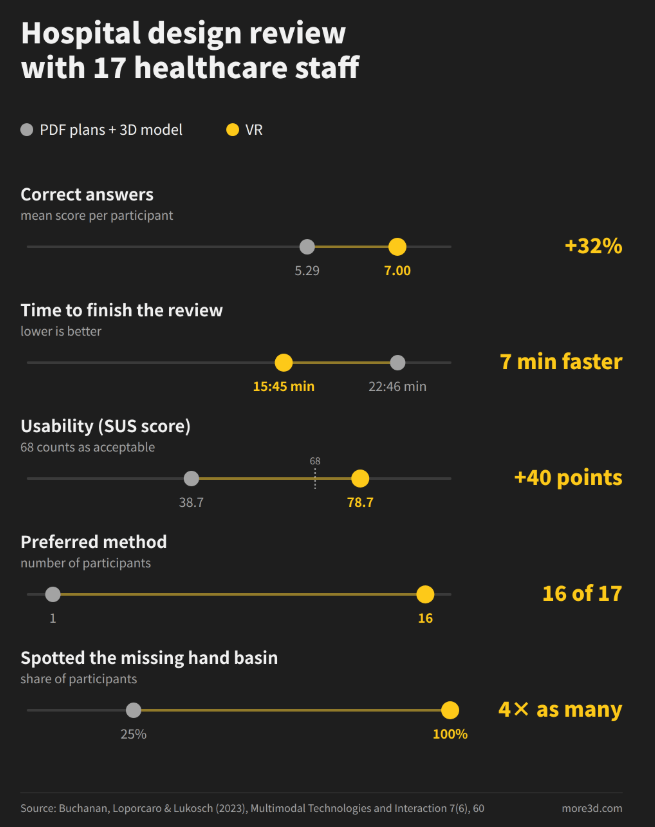
One task shows the difference nicely. The brief required one hand basin per four bed bays. With seven bays that means two basins, but the design showed only one. With the PDFs, 25% spotted the error. In VR, everybody did. Generally, we can conculde that VR can lead to better and faster results and reach a good user acceptance.
Important to note: The VR application was custom-built in Unity, and even the second module needed around 40 hours of extra preparation. Curiously, some participants felt the PDFs contained more information, although both versions held identical data. This might show how VR may reduce the perceived complexity as the process is more natural.
Case 3: Letting staff furnish their own building
At Aalborg University in Denmark, researchers combined BIM and VR so that future occupants could help plan the interior furnishing of a new university building (Petrova, Rasmussen, Jensen & Svidt, 2017). Instead of the architect deciding and then presenting, the employees explored and discussed the options in VR themselves.
The authors report three results:
alternative proposals took significantly less time to produce
the employees felt more attached to their future workplace
acceptance of the technology was high
The second one is a soft result. Still, anyone who has worked through a post-occupancy list of complaints will see its value.
What VR does that a screen can’t
Mainly two things: scale and shared understanding.
On a monitor, you look at a building. In a headset, you stand in it at 1:1. Ceiling heights, corridor widths, the gap between a duct and a beam: you don’t read them off a dimension line, you simply notice them. Participants in the Barcelona study below kept describing the same thing, “the sensation of being inside the building”.
The second point matters even more in daily practice. Many clients, users and facility managers can’t read plans fluently, and few will say so. A nod at a floor plan is not the same as understanding it. VR skips the translation step, so the real feedback arrives while changes are still cheap.
The honest part: where it gets difficult
On the downsides, the studies agree with each other more than on the upsides.
Preparation time. This is the big one. Fifty minutes of export in Barcelona, around 40 hours of setup per module in New Zealand. If every design change means another export.
Cost. Eight of nine Barcelona participants named it as the main obstacle. Headsets have become a lot cheaper since then, but a capable graphics card, licences and someone’s time to run the sessions still cost money.
Comfort. Some people get motion sickness, especially when gliding through a model with a joystick. In Barcelona it affected three of nine participants. In the healthcare study, none of the 17 reported it. Short sessions and teleporting or natural walking in the model instead of flying usually help.
Learning curve. Most Barcelona participants were comfortable within five minutes. Moving components precisely with controllers was another matter: the MEP team practised for about half an hour first.
It doesn’t replace drawings. Earlier studies cited in the healthcare paper found that physical mock-ups still triggered more design suggestions than VR, and that VR worked best alongside 2D plans. Approvals, contracts and the site still run on drawings. VR is a review tool, not a deliverable.
Skipping the export step, mitigate challenges
Most of these problems share one cause. Before anyone can put on a headset, the model has to be converted into a separate VR application, and after every design change the conversion starts again.
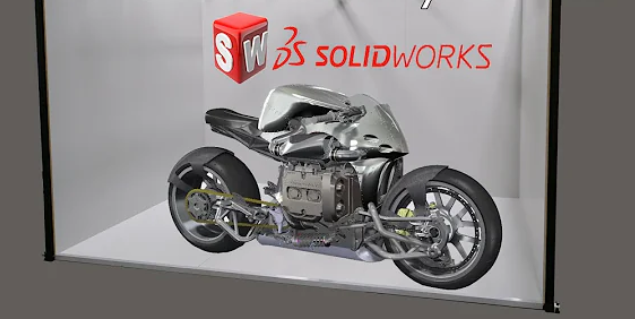
moreViz works the other way round. It takes the live 3D view of software you already use and shows it in VR at 1:1, without exporting or converting files. When you change the model on the desktop, the change appears in the VR as it is conencted with a live-link.
Supported applications that matter for architecture and engineering include:
Trimble SketchUp (ideal for Massing and early design studies)
Autodesk 3ds Max (ideal for Visualisation, materials, lighting)
Autodesk Navisworks (ideal for Federated BIM model, coordination)
BIMcollab Zoom (ideal for IFC model checking, issue review)
Agisoft Metashape (ideal for Photogrammetry of existing buildings and sites)
Bentley ContextCapture Viewer (ideal for Reality meshes of sites and surroundings)
In a similar way moreUnityVR enables customized Unity applications to be in Virtual Reality in real-time.
Two typical scenarios:
Massing study with the client. The designer keeps working in SketchUp while the client stands in the courtyard wearing the headset. “Could that wing be one storey lower?” becomes a two-minute change instead of an item for the next meeting.
Coordination on the federated model. If your team already coordinates in Navisworks or BIMcollab Zoom, as the Campus Generalitat team did, that same model goes into VR without extra preparation. Engineers check clearances with the 2- and 3-point measuring tool, sketch notes into the space and take screenshots for the issue list. Colleagues in another office can join the session, even with different hardware.
For refurbishment projects, composition mode puts up to five applications into one VR scene, for example a photogrammetry scan of the existing building from Metashape next to the new design in SketchUp. Passthrough goes one step further: with a supported headset you see the real room around you with the virtual model placed in it. That helps when you plan an extension or new fittings in an existing building.
Inside VR, moreViz comes with a practical toolbox. You can measure distances, place markers, sketch notes into the space and take screenshots for the issue list. In collaboration mode, colleagues or clients join the same session from another location, even with different hardware. That won’t replace every site visit, but it can save a few flights. The menu is designed so that new users need very little training to find their way around.
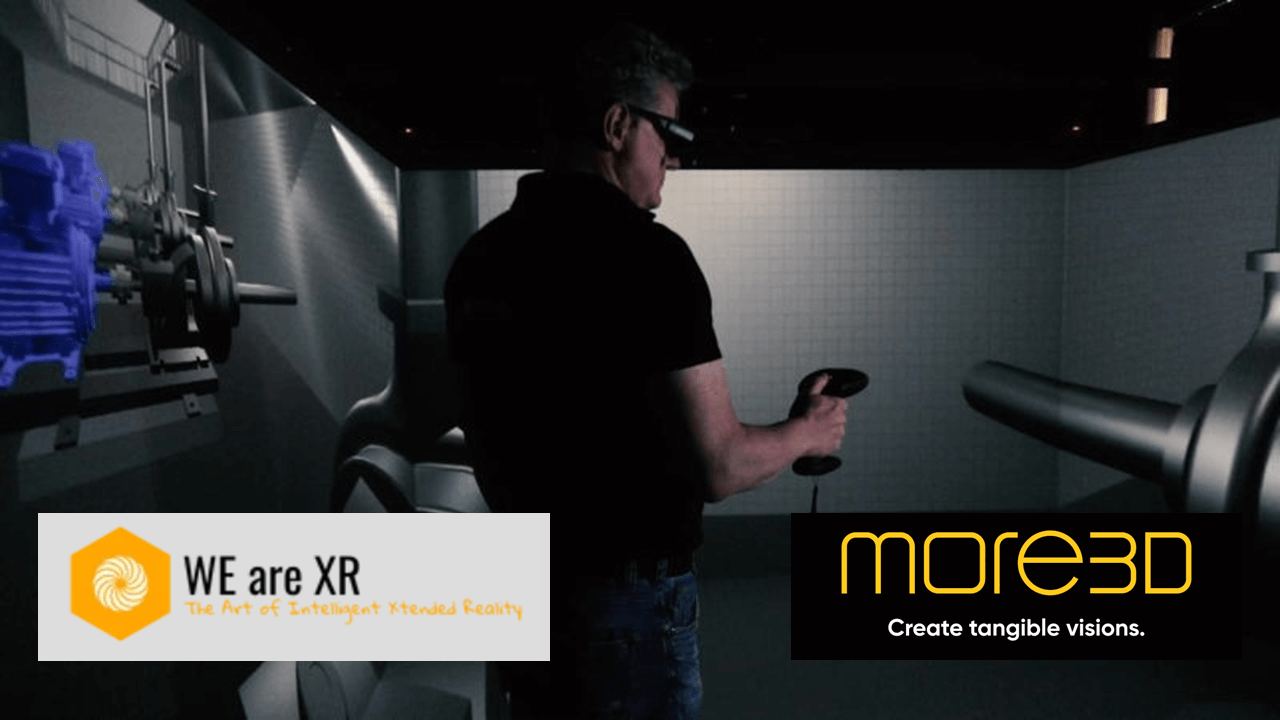
And motion sickness? It’s real, but manageable. Our article on reducing motion sickness has practical tips. Headsets also aren’t the only option: Powerwalls and CAVEs let a whole team look at the model together with nothing strapped to their heads, which makes longer reviews much more comfortable.
moreViz runs on headsets, Powerwalls, 3D monitors and CAVEs. If you want to see your own models in VR without exporting anything first, try the free trial.
What it comes down to in practice
In practice, the main benefits come down to three things:
Earlier decisions. Spatial issues can be identified and discussed before construction, when changes are still easier and less costly to make.
Better presentation and communication. Clients, engineers and future users experience the design at scale. Discussions become more concrete, feedback becomes easier to give and misunderstandings are reduced.
Faster design variations. Different layouts, proportions and design options can be experienced and compared quickly, helping teams move through iterations and make decisions faster.
The bottom line
VR in architecture is neither a revolution nor a gimmick. It’s a review tool, and a good one.
People who don’t read plans every day understand a design faster in VR and spot problems they miss on paper. Clients and future users get more involved, and their feedback arrives while changes are still cheap.
The downsides are often preparation time, hardware costs and the odd colleague who prefers to keep both feet firmly on the ground. Of these, preparation time decides whether VR becomes routine or stays a special event. And that is where moreViz makes the difference to get a design into VR within seconds.
VR won’t design your building. But it makes it much harder for anyone to say, six months into construction, that they didn’t understand what they signed off. Want to get started with VR? Find here practical tipps and lessons learned.