Geoscience is easy to overlook. Until you consider how much of modern life depends on it.
Raw materials in smartphones, computers, batteries and industrial machinery, Energy and mineral supply – all depend heavily on understanding what lies beneath the surface. At the same time, geoscientists study earthquakes, volcanoes, landslides and other natural hazards that directly affect human lives and infrastructure.
Geoscience therefore has consequences far beyond the laboratory. Good data matters economically. But even more important it can reduces risks save lifes. But good data is not enough. We need to understand it properly.
Geoscience has always been about understanding three-dimensional relationships.
Faults cut through rock volumes. Boreholes pass through different formations. Ore bodies extend in irregular shapes beneath the surface. Reservoir properties change with depth and time. Seafloor structures stretch across vast areas that may never be directly accessible to a human observer. And yet, though reality is 3D much of this information is still interpreted on a flat 2D monitor.
This is where Virtual Reality and stereoscopic 3D monitors can make a real difference. Instead of looking at the model from outside, users can explore the data spatially – changing position, perspective and scale as they investigate it.
There is research supporting the idea. A 2024 study evaluated VR for spatial filtering of reservoir cells, comparison of multiple reservoir models and well-path planning. For the tested tasks, participants generally rated the VR workflow as easier, quicker, more effective and more intuitive than conventional reservoir-analysis software.
Why VR Fits Geoscience Particularly Well
Geoscientists rarely work with one simple 3D object. A project may combine: boreholes and drill logs, geological horizons, faults and fractures, seismic volumes and more. The challenge is now understanding how these datasets relate to one another in space.
VR gives users another way to approach these spatial relationships: move around them, look through them, change the scale or discuss them with colleagues from the same perspective.
Several practical geoscience usecases stand out:
1. Geological Interpretation and Mineral Exploration
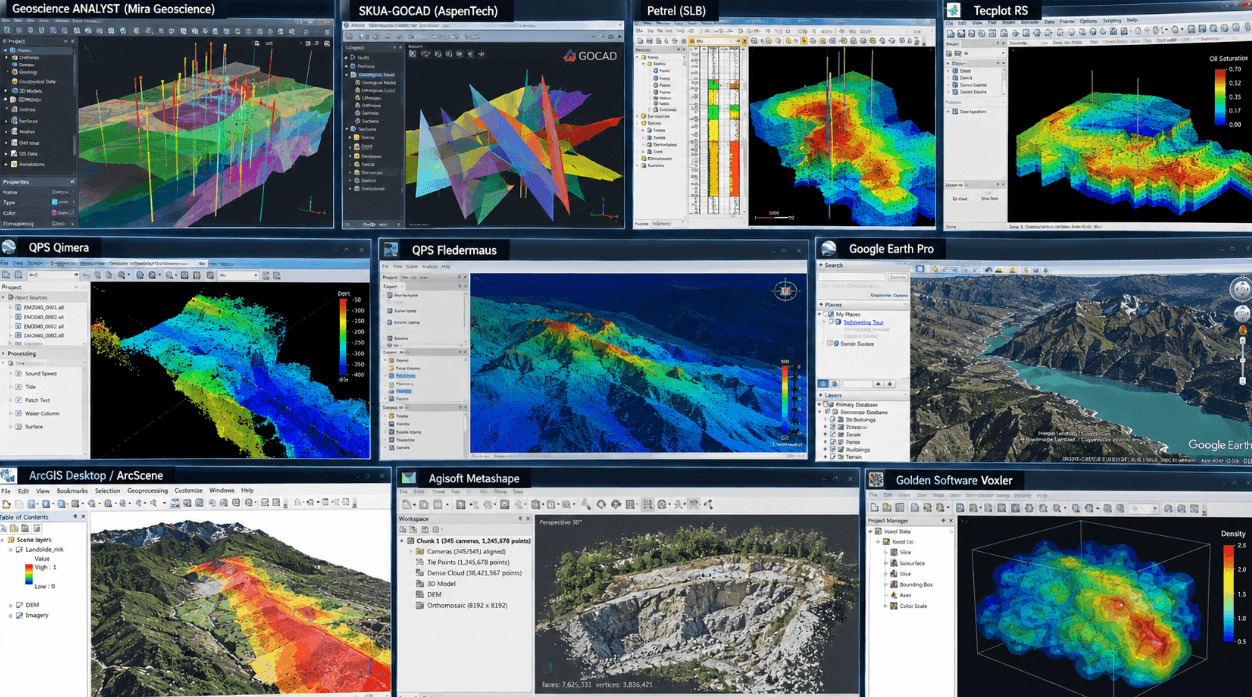
Mineral exploration combines information from drilling, geology, geophysics, geochemistry and terrain surveys. Applications such as Geoscience ANALYST from Mira Geoscience are built specifically to bring multidisciplinary geoscience information together.
The software can visualize drillholes and wells, surfaces, 2D grids, 3D block models, geological and geophysical information, seismic data and other spatial datasets containing hundreds of millions of cells. With moreViz, this type of scene can be viewed immersively directly from the application’s 3D viewport.
For exploration teams, this creates useful ways to:
inspect relationships between drillholes and interpreted ore bodies
examine the geometry of faults around exploration targets
compare geological structures with geophysical anomalies
evaluate potential drilling locations
communicate remotely interpretations between geologists, geophysicists and engineers
Other applications as Aspen Technology‘s SKUA / SKUA-GOCAD are used for building detailed geological and reservoir models, including fault networks, horizons, stratigraphy, geological grids and structurally complex subsurface environments.
These models can become extremely complex. Viewing them immersively can make relationships between faults, formations, wells and target areas easier to examine from different perspectives.
2. Reservoir Modelling and Subsurface Engineering
Similar challenges exist in oil and gas, geothermal exploration, carbon storage and other subsurface projects. SLB Petrel for example covers seismic interpretation, structural and fault analysis, geological modelling, fracture modelling, reservoir characterization, geomechanics and well planning.
VR provides a different way to explore these complex models. Users can obtain an overview of the complete field and then change the scale to inspect a particular well, fault or reservoir compartment. Different viewpoints make it easier to investigate how well trajectories relate to geological structures or how faults divide the reservoir.
Tecplot’s software focuses more specifically on reservoir simulation results. Instead of analysing only plots or individual slices, engineers can investigate results in the context of the complete reservoir geometry.
3. Marine Geoscience and Bathymetry
Some of the strongest arguments for immersive geoscience appear where humans cannot easily visit the environment they are studying. The deep ocean is an obvious example.
QPS Qimera is used to process, analyse and validate hydrographic survey data. It supports data from major sonar systems as well as point-cloud processing, including editing, filtering and cleaning.
QPS Fledermaus focuses on interactive geospatial analysis and can bring multibeam, backscatter, water-column and other GIS information together. Its functions include 3D fly-throughs, image draping, time-dependent visualization, surface analysis and calculations of changes between surfaces.
Practical applications include:
seafloor mapping
marine geological surveys
offshore site analysis
subsea infrastructure planning
inspection of underwater structures
analysis of changes between surveys
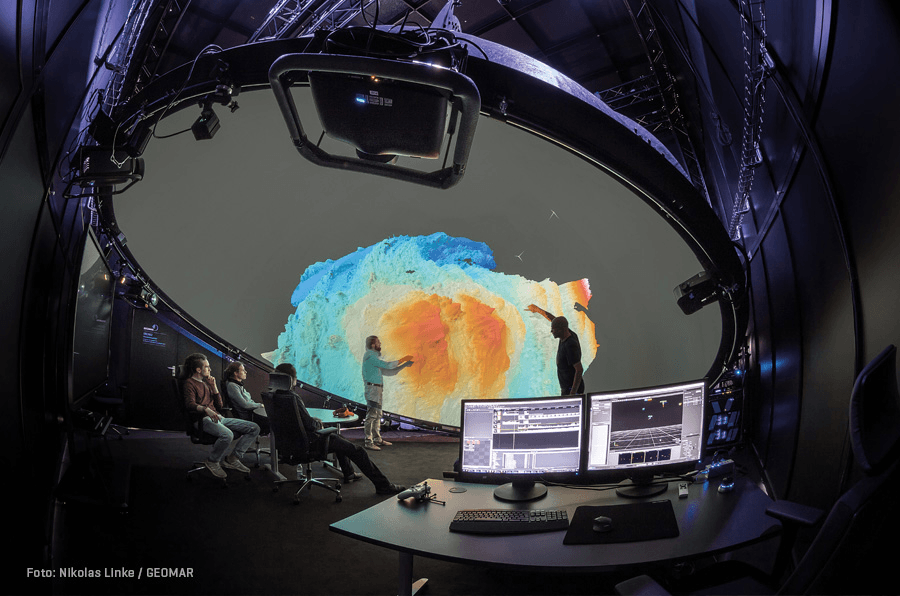
A practical example can be found in the case study from the GEOMAR Helmholtz-Zentrum für Ozeanforschung Kiel. Deep-sea expeditions are enormously resource-intensive: a second of deep-sea exploration can cost around €1. Making the best possible use of data after an expedition therefore matters.
GEOMAR uses a six-metre immersive VR dome combined with moreViz. Applications used in the environment include Fledermaus, Agisoft Metashape and Petrel. Researchers can explore high-resolution ocean data together, perform volumetric plausibility checks and examine the collected information long after the research vessel has returned. The dome is also used to communicate research to students, scientists, policymakers and other stakeholders.
In this case, immersive visualization extends what can be done with valuable field data once the costly expedition itself is over.
4. Terrain, GIS and Field Planning
Geoscience is not limited to the subsurface. Digital elevation models, remote sensing, photogrammetry and GIS data are important for structural geology, hazard assessment and fieldwork planning.
Applications supported by moreViz in this area include Google Earth Pro, Esri‘s ArcGIS / ArcScene, Agisoft Metashape and other 3D geospatial tools.
A good real-world case study comes from the Universität Potsdam‘s Institute of Geosciences.
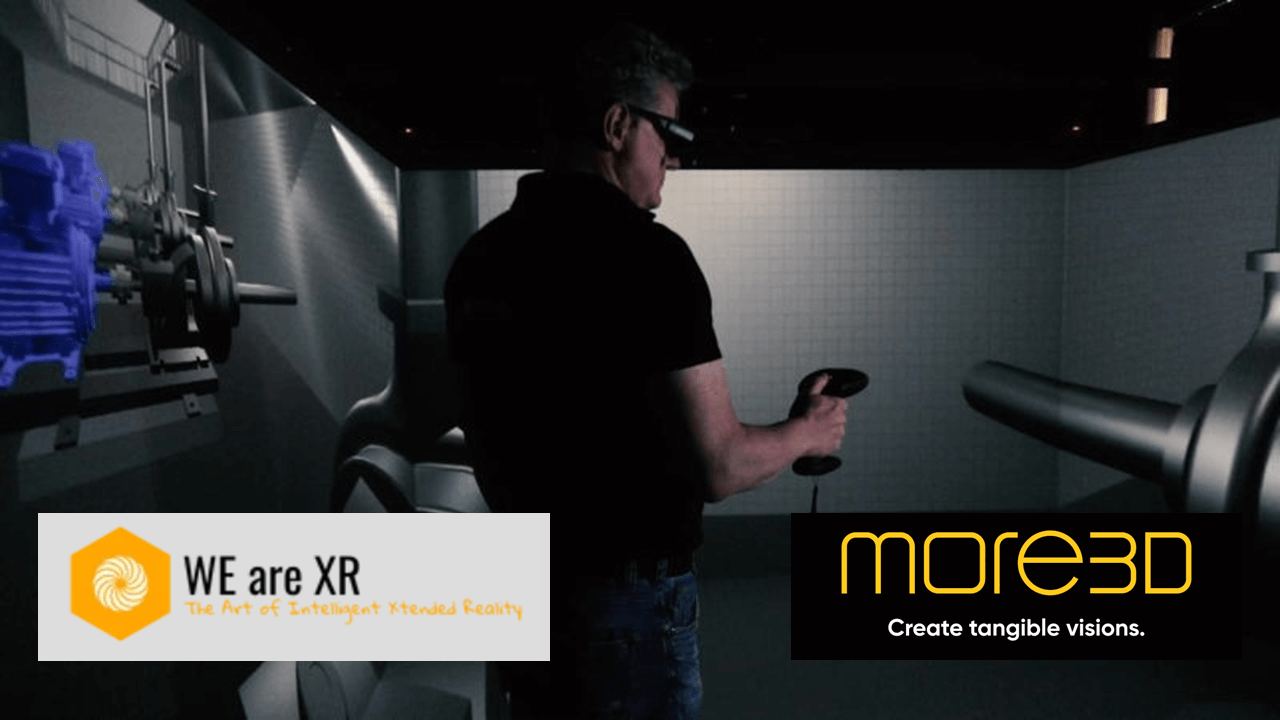
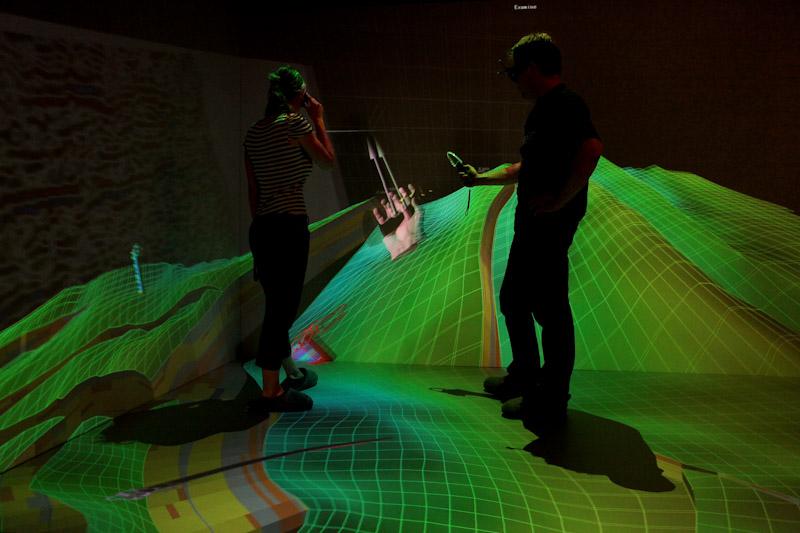
The university operates a three-sided VR CAVE with moreViz. Researchers have used it to investigate tectonic structures and complex topography in the Andes and Himalayas and to prepare seismic studies in Pakistan. By virtually moving through digital terrain models, researchers can inspect structural targets and consider possible access routes before entering the field.
The same facility has also been used in disaster-preparedness projects. Immersive terrain visualization helped civil-protection specialists examine scenarios involving floods and landslide zones.
This illustrates another useful aspect of VR in geoscience: the data can become easier to communicate beyond the group that originally created it. A geologist may immediately understand a complex cross-section. A civil-protection officer, policymaker or student may not. Exploring the terrain spatially can make the discussion much more concrete.
Getting Existing Geoscience Data Into VR
One barrier to professional VR is often the preparation process. Creating separate VR datasets and adding export, conversion and import steps may be acceptable for an occasional presentation. For frequently changing models and daily research work, those additional steps can quickly become a productivity killer.
moreViz takes the 3D viewport of compatible OpenGL applications and renders it directly into the immersive environment. Changes, simulations and animations from the host application remain visible in the VR scene in real time. The immersive output can be used with VR headsets, Powerwalls, CAVEs, VR domes and 3D monitors.
Inside the VR environment, users can navigate through the scene, change its scale, place markers, sketch, take measurements and document viewpoints. Remote users can also join shared sessions.
The Composition Mode can combine up to five live host applications in the same immersive environment. This can be particularly interesting in geoscience, where a project may draw information from several specialized programs rather than one single dataset.
Where Does VR Add the Most Value?
Not every geoscience task needs immersion. A spreadsheet is still an efficient way to review hundreds of numerical values. Precise parameter entry is usually easier with mouse and keyboard. Many routine tasks gain little simply from being displayed stereoscopically.
The strongest use cases are those where spatial understanding itself is part of the problem. These are exactly the kinds of questions where being able to move through, around and inside complex 3D information can change how quickly the relationships become clear.
And that is ultimately where VR adds value in geoscience: making complex spatial relationships easier to see, explore and discuss directly within the data.